SoftWiz • CRM • Automations • Digital Transformation
How to Stop Working in Spreadsheets and Move to CRM and Automation – Without Breaking Your Business
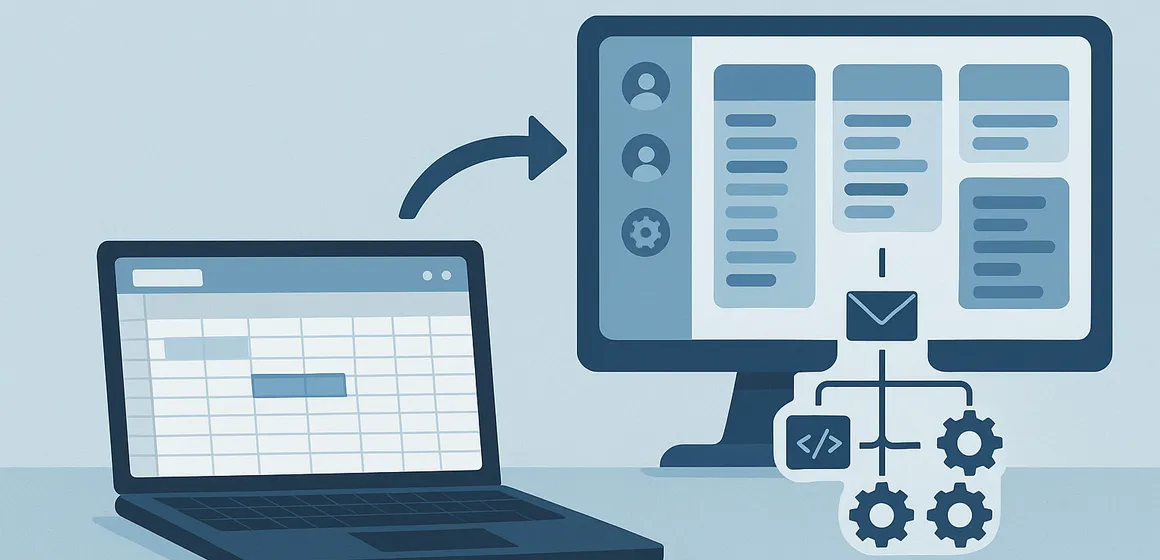
Every business reaches the day when the spreadsheet, once a lifesaver, turns into a millstone. Different files held by different people, versions multiplying, brittle formulas, leads lost between rows, and no single source of truth you can rely on.
Moving to a CRM and automation is not a cosmetic upgrade but a stage of business maturity: a shift from manual work and firefighting to managing process, data and control. Even so, plenty of CEOs and sales managers worry: what if the system throws the business into chaos? What if the team never adopts it? What if we break day-to-day operations?
The good news: you can move from spreadsheets to a CRM and automation gradually, in a controlled way and with minimal risk: provided the move is managed properly. This article sets out a practical, sharp and clear process that will let you stop relying on spreadsheets and build genuine technology infrastructure, without breaking the business on the way.
Bottom line: spreadsheets are a great tool for individuals. They are almost always a failure for teams. Connecting a CRM, automation and telephony properly creates a single source of truth, a stable process, reliable data and growth you can measure.
Why Stop Using Spreadsheets at All – and What Sticking With Them Costs
Spreadsheets have become a shared language in almost every business. The problem is that they were built for tabular work, not for managing processes, teams and live leads. In most organisations the same problems recur:
1. There is no single source of truth
- Every employee holds a slightly different version of the same file.
- Changes are not logged, and versions sit on desktops or in separate drives.
- You cannot tell which is the latest, so you cannot trust the report either.
2. Leads and customers fall through the cracks
- A row not updated in time means a forgotten lead.
- The file is locked for editing, so nobody updates it in real time.
- There are no alerts, no reminders and no built-in follow-up.
3. You cannot manage a real process
- A spreadsheet does not “understand” the stages of a sales or service process.
- There is no proper activity log and no history of interactions.
- A manager cannot easily see where each customer sits in the process.
4. Human error costs money
- A bad copy-and-paste → a customer gets in touch and receives no reply.
- A formula error → misleading figures in the management report.
- A row deleted by accident → no record, no accountability, no control.
5. The business cannot really grow
- The more reps you add, the more spreadsheets multiply.
- Every small process change requires “another file” and “another sheet.”
- When someone leaves, they take critical knowledge buried in their spreadsheets with them.
If three or more people touch the same data, a spreadsheet should no longer be your core management system.
Step 1: Map Reality – Don’t Make Assumptions
Before moving to a CRM and automation, do not start with “which system should we choose?”. The right question is: “how does the business actually work today?”
There are a few things you must map honestly and directly:
- Where do leads and customers come from?
Website, landing pages, phone calls, WhatsApp, Facebook, referrals, campaigns and more. - Who handles each lead, at each stage?
The sales floor, a field rep, customer service, the owner themselves. - Where is information recorded today?
Spreadsheets, email, paper, WhatsApp, a third-party system. - Where do the bottlenecks appear?
Leads waiting days for a call, existing customers who get no follow-up, service requests falling between departments. - Which critical points must never be dropped?
The first call with a lead, sending a proposal, chasing that proposal, contract renewal, collections and so on.
Mapping like this shows you the truth: where spreadsheets still suffice, and where they are already doing damage. Only after that accurate picture can you design a CRM and automation setup shaped around the business, not one the business has to adapt to.
Step 2: Migrate Only What Is Alive – Not the Entire History
One of the biggest mistakes in moving from spreadsheets to a CRM is wanting to bring “everything that ever happened” into the new system. The result: a heavy, slow project stuffed with irrelevant data, and a team that loses patience.
The right approach is different.
Migrate only what is alive and breathing:
- Active leads still in process.
- Customers in a sales, service or renewal process.
- Open tasks that require follow-up.
- Critical data that affects revenue and cash flow.
And what about everything else?
- Keep it in an organised archive on your drive or SharePoint.
- Leave read-only access for whoever needs it.
- Do not try to turn history into day-to-day working material.
A good CRM is a daily working system, not a data museum. It should serve today and the coming month, not what happened five years ago.
Step 3: Gradual Rollout – Don’t Throw the Team in at the Deep End
A perfect system that lands on the whole organisation at once can turn into a nightmare if the rollout is slow and cumbersome.
The right process looks different:
- Start with a defined pilot
One team (the sales floor or the service team, for example) or one process (new leads, for example). - Train the small team
Clear usage scripts: how to log activity, how to work with tasks, how to use the information. - Check early results
Has response time shortened? Are fewer leads forgotten? Are the reports finally accurate? - Expand to the rest of the organisation as it succeeds
Only once the foundation works well do you connect more teams and departments. - Retire the spreadsheet gradually
Set a freeze date for the spreadsheet, after which all new information is recorded only in the system.
That way the team sees the new system simplifying their day rather than complicating it, and the move happens under control rather than by decree.
What Your CRM and Automation Must Include for the Move to Work
Not every CRM suits every business, and not every marketing platform can replace the working processes of a sales floor. There are a few baseline capabilities you should insist on:
- Automatic lead capture
Forms, campaigns, chats, inbound calls, everything enters the system automatically, with no file imports and no copy-and-paste. - Defined stages in the sales and service process
New leads, in progress, proposal sent, in negotiation, closed, every stage defined, and the system able to show a clear picture. - Smart dialer / predictive dialer
For sales floors, an auto dialer that substantially raises the number of effective calls per rep, instead of slow manual dialling. - Follow-up automation
Automatic task creation, reminders, customer messages and activity logging, so no lead falls through the cracks. - AI and call analysis
Call summaries, hot-customer identification, recurring objections and genuine insight into what works and what needs improving. - Clear reporting for managers
Reports on leads, calls, closes, rep performance and lead sources, easy to read and available in real time. - Simple integrations
Connections to your website, payment systems, accounting, course-management platforms, monday.com and more, without duplicated work.
Why Businesses Fail at Moving from Spreadsheets to CRM – and How to Avoid It
- Starting with the system instead of the process
Buying a tool before understanding what it is meant to solve. The fix: start by mapping the process, then choose a system that supports it. - Loading too much onto the team at once
Endless fields, screens and views, and the team loses the thread. The fix: start with a minimal viable process and expand only as needed. - Not defining success metrics
If you do not decide up front what counts as success (response time, close rate, number of leads worked), you will not know whether the system succeeded. - Trying to copy the spreadsheet into the CRM as-is
Every column becomes a field. Every sheet becomes a table. The result is a cumbersome system. A CRM should express a process, not replicate tables. - Choosing a system without an implementation partner
Advanced systems demand business thinking, not just technical work. Without guidance and proper scoping, the odds of the team never adopting the system are very high.
How SoftWiz Turns a Move from Excel to CRM and Automation into a Controlled Project – Not a Gamble
At SoftWiz we do not “sell a system”, we build a process. The focus is on connecting CRM, sales floor, automation and AI so the business gains a stable infrastructure rather than just another tool.
- Mapping existing processes and setting a clear baseline.
- Choosing the right tools (CallMarker, monday.com, a CRM and others).
- Designing a new sales and service process, end to end.
- Setting up the systems, integrations and automations that tie it all together.
- Training teams, building working scripts and measuring on an ongoing basis.
- Continuous improvement based on data rather than impressions.
Frequently Asked Questions on Moving from Spreadsheets to CRM and Automation
How do you know it is time to move from spreadsheets to a CRM?
If more than one person needs to update the same data, if leads “disappear,” if there is no single reliable report showing the full picture, and if every small change requires “another file”, that is a sign it is time for a real system.
Do you have to stop using spreadsheets overnight?
Absolutely not. The move should be gradual: a pilot on part of the process, setting up the system, running both worlds in parallel for a short period, and only once the new system is stable, retiring the spreadsheet as a working system in an orderly way.
What do you do with all the history that has built up in spreadsheets?
History is preserved, but not as a daily working base. Keep it in an organised archive, identify only the live and critical information and move that into the CRM. The aim is to start clean, not to bury the team under masses of irrelevant data.
How long does a move from spreadsheets to a CRM and automation take?
It depends on the size of the organisation and the complexity of the processes. In most small and mid-sized businesses you can have a first working system within a few weeks and expand it gradually over 1–3 months, while the business carries on as usual.
Is the move risky for the business?
It is risky only if you do it without scoping, without stages and without guidance. When the transition is built properly, with a pilot, training, a baseline and measurement, the risk is very low and the chance of real growth is significantly higher.
Want to stop relying on spreadsheets and finally build a stable CRM and automation infrastructure that will serve your business for years rather than for the coming week? That is exactly the kind of project we lead at SoftWiz, precisely, gradually and process-led, so you never have to choose between technological progress and operational calm.